
Best AI Receptionist for Small Business —
Ranked by What Actually Matters (2026)
Big enterprise platforms try to do everything. For a dental practice, a plumbing company, or an insurance agency with 5–15 staff, most of that is noise. This is a practical comparison of the AI receptionists worth evaluating for small service businesses in 2026 — ranked on voice quality, booking depth, missed call recovery, and real monthly cost.
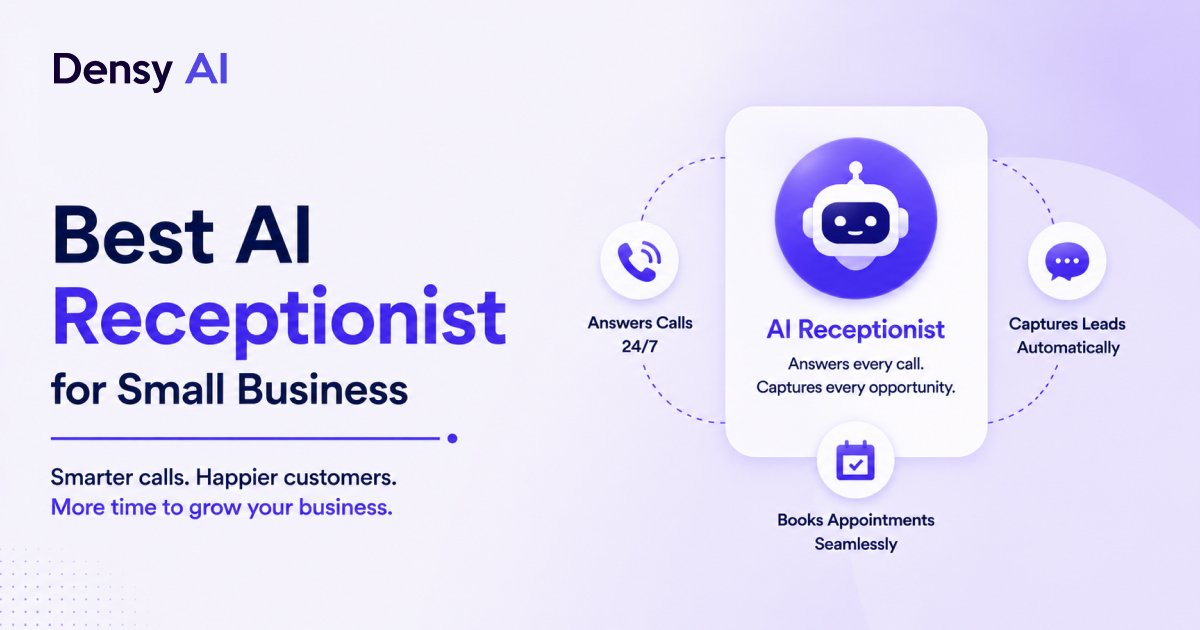
What Small Businesses Actually Need From an AI Receptionist
Before evaluating platforms, it helps to be clear on what the job actually is. A five-person insurance agency and a mid-market call centre have different problems — and most of the AI receptionist marketing is written for the latter. Here are the five things that actually move the needle for a small service business.
- 01Calls answered after hours
Most small businesses are dark from 6pm to 8am. That is exactly when motivated customers call — they have time to think about their problem and act on it. Without an AI receptionist, those calls hit voicemail and 85% of those callers never call back. After-hours coverage is not a nice-to-have; it is the primary use case.
- 02Appointments booked during the call
Not "we'll call you back to schedule." Booked during the conversation, confirmation sent by text before the caller hangs up. Every extra step between "I want to book" and "I have a confirmed time" is a drop-off point. The right platform eliminates all of them.
- 03Missed calls followed up automatically
When a call slips through even with an AI receptionist, a text goes out within 60 seconds. Most platforms report 30–60% of those texts convert to booked appointments. No one falls through the cracks — not because every call was answered, but because every missed call triggered an immediate recovery action.
- 04Simple setup with no IT team required
A dental practice or plumbing company does not have a dedicated IT team. If the setup requires a developer, custom API work, or more than a week to go live, it will not happen — or it will happen badly. The right platform is live in 24–48 hours with a guided onboarding process.
- 05Predictable pricing that scales with revenue
Small businesses cannot absorb five-figure enterprise contracts. The platforms worth evaluating offer either per-minute usage pricing (good for variable volume) or flat monthly subscriptions in the $300–$700 range — with costs that scale as your business grows rather than requiring an upfront commitment.
The Top AI Receptionists for Small Business in 2026
Five platforms are worth evaluating seriously. Here is an honest breakdown of each — what they do well, who they are actually for, and what they cost.
- 01Densy AI
Best overall for service businesses
Densy handles inbound and outbound voice, SMS follow-up, and appointment booking in one platform, purpose-built for service businesses. The missed call recovery flow is the strongest in the category — when a caller hangs up without connecting, Densy sends an automatic text within seconds and opens a two-way SMS conversation that can close the booking without any human involvement. Setup runs 24–48 hours. The AI trains on your services, hours, and FAQs, then connects to your calendar directly. Voice quality is natural enough that most callers do not realise they are talking to AI until they ask.
Pricing: From $350/month with 300 minutes included. Multi-location practices run multiple agents from the same dashboard.
Standout feature
The missed call text-back flow with multi-step follow-up sequences. Most competitors either do not offer it or bolt it on as an afterthought. Densy built it as a core feature — the system keeps re-engaging the caller until they respond or explicitly opt out, which is what drives the 30–60% recovery rate rather than a one-shot text that goes unanswered.
- 02Smith.ai
Best for high-stakes professions needing a human safety net
Smith.ai operates AI-first but routes to live virtual receptionists when the AI is not confident. That hybrid model adds cost but reduces the edge-case risk of a fully automated system mishandling a complex or sensitive call. Best fit for law firms, financial advisors, and professional services where a mishandled call has real consequences. Pricing is per-call: the AI tier starts around $30/month for 30 calls, then approximately $1/call after that — which gets expensive fast for high-volume businesses.
Pricing: From $30/month for 30 AI-handled calls. Approximately $1/call for volume above plan.
- 03Goodcall
Best for restaurants and simple high-volume FAQ handling
Goodcall handles FAQs and basic call routing well and is priced accessibly for very small or budget-constrained businesses. It does not do appointment booking natively — it integrates with scheduling tools but the booking flow is not as tight as a purpose-built system. If your primary need is answering "what are your hours?" and "what is the wait time?" rather than booking appointments, Goodcall is a cost-effective entry point.
Pricing: Free plan available with limited calls. Paid plans from $49/month.
- 04Numa
Best for auto dealerships and automotive service lanes
Numa is purpose-built for automotive. If you are outside that vertical, the product fit drops significantly. If you are a dealership or automotive service centre, it is the strongest option — with deep integrations into dealer management systems and a missed-call text workflow built specifically for service lane scheduling. Do not evaluate it if you are in dental, insurance, or home services; the vertical specificity is both its strength and its limitation.
Pricing: Custom pricing. Best evaluated through a direct sales conversation.
- 05Air AI
Best for outbound follow-up and lead reactivation
Air AI leans heavily into outbound calling — lead reactivation, follow-up campaigns, appointment reminders. For businesses that need inbound handling as the primary use case, it is less mature than Densy or Smith.ai. If your biggest problem is cold leads sitting in your CRM that nobody is following up on, Air AI addresses that gap. For inbound-first businesses, consider layering it on top of a dedicated inbound platform rather than using it as a standalone solution.
Pricing: Usage-based pricing. Best for outbound volume buyers.
The Decision Framework
Once you know what each platform does well, choosing comes down to matching your specific problem to the right tool. Here is the cleanest way to frame the decision.
If your main problem is missed inbound calls and empty appointment slots
Densy AI. The inbound-to-booking flow is tight, the missed call text-back is native, and the pricing is predictable. This is the most common problem for dental practices, home service businesses, and insurance agencies — and it is the scenario Densy was built for.
If you are in a high-stakes profession and need a human safety net
Smith.ai hybrid tier. Law firms, financial advisors, and medical specialists where a mishandled call has real consequences beyond a missed booking. Pay more, sleep better. The higher per-call cost is worth it when the downside of the AI going wrong is losing a client relationship.
If you are running a restaurant or high-volume FAQ operation on a tight budget
Goodcall. The free plan or $49/month tier covers the basics of call handling without the cost of a full booking automation platform. Upgrade later if and when your needs expand beyond FAQ handling.
If you are an auto dealer or automotive service centre
Numa, without much deliberation. The vertical-specific integrations — dealer management system connectivity, service lane scheduling — are not something a general-purpose platform replicates easily. The fit is strong if you are in the vertical; weak if you are not.
If your biggest problem is cold leads going cold in your CRM
Air AI for outbound reactivation, then layer in a dedicated inbound solution separately. Using Air AI as your only platform means your inbound calls are underserved. The two use cases — outbound lead follow-up and inbound call answering — are different enough that they warrant separate tools.
The Questions to Ask Every Vendor Before Signing
Every vendor's demo call is polished. The real product quality shows when things go slightly wrong. These five questions expose the gap between the demo and production reality.
- Q1What happens when the AI does not understand a caller?
Every platform handles this differently. Some loop. Some say "I do not understand that" three times and hang up. The good ones transfer gracefully to a voicemail or live human with full context about what was already discussed. Ask for a specific demonstration of this scenario — not a description of it.
- Q2What is your actual call latency?
The pause between a caller finishing a sentence and the AI responding. Anything over 1.5 seconds starts to feel unnatural. Ask for a live test call with you as the caller, not a polished demo recording the vendor controls. Natural latency in real conditions is what your customers will experience.
- Q3How does appointment booking handle simultaneous conflicts?
If two callers try to book the same slot at the same time, what happens? It is a basic question that reveals how mature the calendar integration actually is. A production-grade platform prevents double-booking in real time. A surface-level integration creates the booking and leaves you to sort out the conflict manually.
- Q4Can I see a call transcript dashboard?
You want to be able to pull up any call, read the full transcript, see the outcome (booked, not booked, escalated), and search by date or caller. If the analytics are thin, you are flying blind on whether the system is actually performing. Reporting quality is a proxy for how seriously the vendor takes accountability.
- Q5What is the exit clause?
Month-to-month or annual contract? What is the data export format if you leave? Can you port your trained AI configuration to another platform, or does all the training you invested get locked in? Do not sign a two-year contract with a product that is still maturing. Month-to-month flexibility is worth paying a modest premium for in year one.
What Small Businesses Get Wrong When Evaluating AI Receptionists
Three evaluation mistakes come up consistently. They are easy to avoid once you know to look for them.
Evaluating demos instead of edge cases
Every vendor's demo call is scripted and polished. The AI handles the exact scenario it was built to showcase. What you need to test are the scenarios it was not built to showcase: a caller who changes their mind mid-booking, a caller who asks a question the AI has not been trained on, a caller who is frustrated and abrupt. That is where product quality actually shows. Run your own test calls with off-script behaviour before making a purchasing decision.
Ignoring after-hours call volume
Most small businesses assume the majority of their calls come during business hours. Pull three months of call logs and check before making that assumption. For dental practices, the percentage of calls arriving after 6pm and before 8am is often 35–45%. That is the revenue window the AI is specifically recovering — not replacing your daytime receptionist, but capturing the demand your team could never reach. For a full look at what that gap costs, see our guide to the annual revenue impact of missed calls.
Treating it as a cost item instead of a revenue item
AI receptionists are not primarily a way to cut headcount — they are a way to capture calls your team is already missing. The ROI calculation is missed calls recovered multiplied by average booking value, not full-time employee reduction. A small business that answers 30 additional calls per month and converts half of them into appointments has a very different financial picture from one that does not — regardless of whether anyone was laid off. Frame the evaluation as revenue recovered, not cost reduced.
What to Expect in the First 30 Days
The first month with an AI receptionist follows a predictable pattern across most service businesses. Here is what to expect — and what to pay attention to.
- W1Setup and training
The AI learns your business. Expect to refine the greeting, the qualification questions, and the escalation triggers after the first batch of real calls. The initial configuration is a starting point, not the finished product. Block time in week one to review transcripts daily and feed corrections back into the training.
- W2–3Volume handling and refinement
The AI starts handling real call volume. Keep monitoring transcripts — flag anything that went sideways: a wrong answer, an awkward handoff, a missed booking opportunity. Most businesses find two or three recurring edge cases that need addressing. Fixing them in week two or three prevents them from becoming a pattern through the rest of the month.
- W4Pull the numbers and compare
Total calls handled, booking rate, missed call recovery rate, calls escalated to human. Compare to the equivalent period before the AI was live. Most businesses see a 15–30% increase in booked appointments in the first month. If your numbers are below that, the issue is usually in the qualification flow or the calendar integration — both fixable without switching platforms.
The 30-day threshold: if you have not seen a measurable improvement in booked appointments by the end of month one, something in the setup needs revision — not a different platform. Most implementation problems are configuration problems, not product problems. Work with your vendor's onboarding team before concluding the tool is the issue.
Frequently Asked Questions
What is the best AI receptionist for a small business?
For most small service businesses — dental, medical, insurance, home services, real estate — Densy AI is the strongest option in 2026. It covers inbound call answering, appointment booking, and missed call text-back in one platform, at pricing designed for businesses with 1–5 locations rather than enterprise accounts. For professional services firms that need a human safety net on complex calls, Smith.ai is a strong alternative.
How much does an AI receptionist cost for a small business?
AI receptionist pricing ranges from $49/month for basic FAQ handling (Goodcall) to $350–$700/month for full call-to-booking automation (Densy AI). Per-call pricing models like Smith.ai start cheaper but can escalate quickly for high-volume businesses. Compare total annual cost including setup fees — and weigh it against the revenue recovered from calls that would otherwise go unanswered.
Can AI receptionists book appointments automatically?
Yes — the best platforms integrate directly with Google Calendar, Calendly, and industry-specific scheduling tools and book appointments in real time during the call. However, integration depth varies significantly: some platforms can only check availability while others handle booking, rescheduling, and cancellation. Confirm bidirectional calendar write access before signing up.
How long does it take to set up an AI receptionist for a small business?
Most platforms are live within 24–48 hours. The setup process involves connecting your business phone number, training the AI on your services and FAQs, integrating your calendar and CRM, and setting escalation rules. The training step is where most businesses underinvest — the more context the AI has about your specific services, the better it handles edge cases from day one.
Will my customers know they are talking to an AI?
With the best platforms, most callers do not realise they are talking to AI unless they ask directly. Voice quality and latency are the two factors that give it away. Test any platform with a live call before buying: go off-script, ask an unexpected question, and judge the naturalness yourself rather than relying on a polished demo recording.
What should I measure to know if my AI receptionist is working?
Track four numbers from week one: total calls handled by AI, booking rate (calls that resulted in an appointment), missed call recovery rate (missed calls that converted via text-back), and calls escalated to a human. Compare to your pre-AI baseline. Most small businesses see a 15–30% increase in booked appointments in the first month.
See it working for your business
Book a Demo With Densy AI
Densy AI answers every inbound call, books appointments directly, and fires a missed call text-back within 60 seconds — for service businesses with 1–5 locations. Book a free demo and see the full flow for your industry.
No commitment required. Live in 24–48 hours.