
AI Answering Service for Small Business —
What It Costs, What It Does, and Whether You Need One
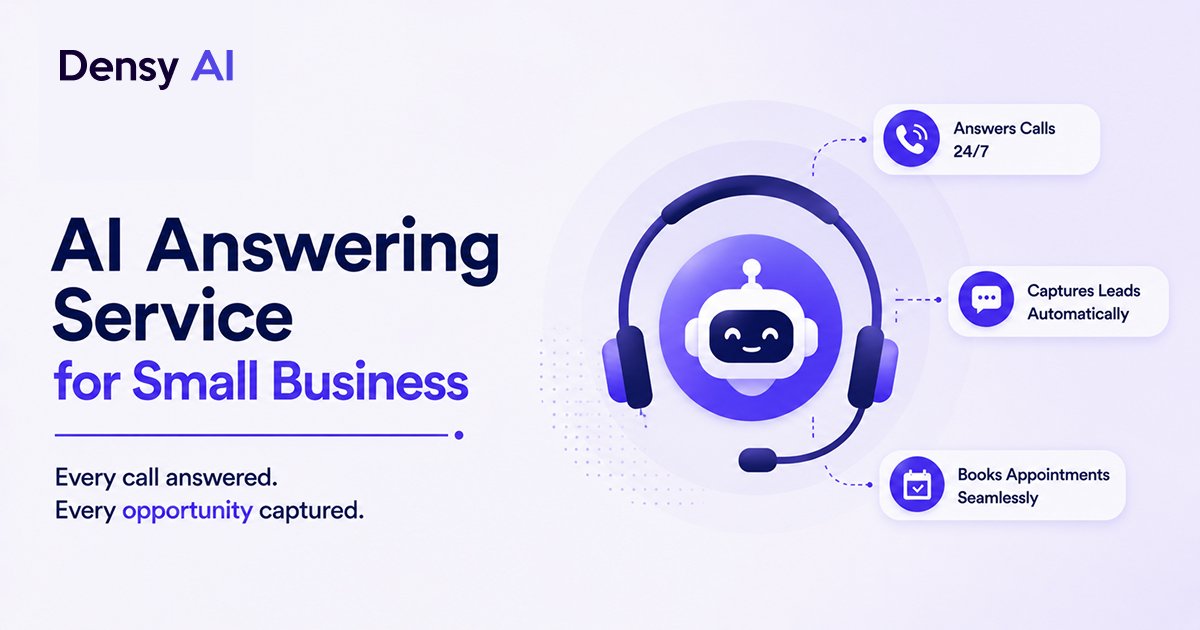
62% of small business calls go unanswered. For most service businesses, that is not a staffing problem — it is a systems problem. An AI answering service picks up every call 24/7, books appointments in real time, and follows up on the ones that slip through. Here is an honest breakdown of how it works, what it costs, and how it compares to the human alternative.
The Problem With Missing Calls
62% of small business calls go unanswered. That number comes from call tracking data across tens of thousands of SMBs, and it is consistent enough that the industry treats it as a baseline. The reasons are well-understood: staff are with customers, it is after hours, the line is busy, or nobody is near the phone.
The maths are uncomfortable. If your business gets 100 inbound calls a month and misses 62 of them — and each caller represented $150 in average revenue — that is $9,300 a month lost to unanswered phones. A year of that is over $111,000 in lost revenue. Not from bad marketing or poor service — just from not picking up.
An AI answering service addresses this at the systems level. It does not depend on staff availability, does not have after-hours constraints, and does not need to be in two places at once. Every call gets answered. Every missed call gets a follow-up text within 60 seconds. The revenue leak closes.
What an AI Answering Service Actually Does
At the core, an AI answering service picks up every inbound call — on the first or second ring, every time, regardless of hour or day. What happens next depends on how you have configured it. There are three functional tiers, and the difference between them is the difference between a marginal improvement and a genuine operational change.
- 01Basic tier — better than voicemail, not by much
Answers the call, takes a message, sends a notification to your team. The caller knows they reached something and that someone will follow up. You have a record of who called. It is a meaningful improvement over missed calls and voicemail, but it does not eliminate the follow-up lag or book appointments. Best for very low-volume businesses or as a stopgap during setup.
- 02Mid tier — where most small businesses should start
Answers, qualifies the caller ("Are you an existing patient or a new patient?"), routes to the right department, or books an appointment if the caller is ready. Sends an SMS confirmation. The caller hangs up with a confirmed time or a clear next step. This tier eliminates the revenue leak from unanswered calls during business hours and starts recovering after-hours volume.
- 03Full tier — where ROI becomes large enough that cost stops mattering
Answers, qualifies, books, follows up on missed calls with automated text-back, runs outbound reminder sequences for existing appointments, handles cancellation and rescheduling requests, and logs everything to your CRM. Human intervention only when escalation is genuinely needed. At this tier, the AI is running the front-desk operation — not assisting it.
Most small businesses need mid-tier functionality at minimum. The full tier is where the ROI gets large enough that the monthly service cost stops being a consideration — the recovered revenue from missed call recovery alone typically covers it within the first two weeks.
AI Answering Service vs. Human Answering Service
This comparison deserves an honest treatment. Human answering services — companies like Ruby Receptionist, PATLive, or Abby Connect — employ real people who answer calls on your behalf. They are good at nuanced conversations, building rapport, and handling situations that require genuine judgment. They are also expensive, default to business hours, and vary in quality across agents.
AI answering services cost less, operate 24/7 with zero degradation in quality, handle unlimited simultaneous calls, and never have a bad day. What they trade away is nuance — complex emotional conversations, situations far off-script, and callers who simply want to talk to a person.
The honest answer for most small businesses: AI handles 80% of your call volume — the standard inbound calls, appointment requests, and basic FAQs. A small human team handles the 20% that requires judgment. You do not need to choose one or the other. For a detailed cost breakdown of the full AI-versus-human calculation, see our AI receptionist vs human receptionist cost comparison.
What an AI Answering Service Costs
AI answering services for small businesses run in three pricing structures. Which one suits your business depends on call volume and how predictable it is.
Per-minute pricing
$0.15–$0.35 per minute of call time. If your business gets 200 inbound calls per month averaging 3 minutes each — 600 minutes at $0.25 — that is $150/month. Predictable for steady call volume, volatile in high-traffic months. Good for businesses with lower or seasonal call volumes.
Monthly subscription with included minutes
Most small-business platforms offer plans with 250–500 minutes included, then overage rates above that. $300–$500/month is the typical range for a complete AI answering service at this tier. Predictable monthly costs; the right choice for businesses with consistent call volume.
Per-call pricing
$1–$3 per call regardless of call length. Less common, but works well for businesses with long average call times where per-minute costs would escalate quickly. Useful when call complexity is high and duration is unpredictable.
Setup fees range from $0 (common among growth-stage SaaS platforms competing for market share) to $2,000 (typical for platforms that include hands-on onboarding, CRM integration work, and custom AI training). Factor this into year-one cost when comparing options.
Industries Where AI Answering Services Work Best
AI answering services deliver the highest ROI in industries where inbound calls have direct revenue attached, the miss rate is structurally high, and the booking or intake workflow is repeatable enough for an AI to handle consistently.
Dental Practices
Appointment-heavy, high call volume, significant after-hours demand. The booking flow — check availability, book slot, send confirmation — is exactly what AI handles well without any human involvement.
See industry details →Home Service Businesses
Plumbers, HVAC technicians, and electricians are in the field during business hours. An AI that answers, qualifies the job, and schedules a callback or visit captures work that would otherwise go straight to a competitor.
See industry details →Insurance Agencies
Lead response time is the single biggest driver of close rates in insurance. An AI that picks up immediately and starts the intake conversation wins business that a 2-hour human callback loses — every time.
See industry details →Real Estate
Inbound inquiries from Zillow and Realtor.com have a narrow response window. An AI that responds within 60 seconds, qualifies the prospect, and books a showing call keeps the conversation alive rather than sending it to whoever answers next.
See industry details →Medical practices follow a similar pattern to dental — high appointment volume, recurring patients with standard intake questions, and a significant cost to every no-show. Legal intake is also a strong fit: initial qualification (jurisdiction, case type, urgency) before an attorney gets on the phone saves hours of attorney time per week and improves intake conversion by filtering non-qualifying callers before they reach a human. The AI phone answering service use case spans any professional services business where every unanswered call is a missed opportunity.
What to Look For When Evaluating
The platform features are broadly similar across vendors. These five criteria expose the real differences in quality.
Voice naturalness
Ask for a test call in your first conversation with any vendor. Do not watch a demo video — make an actual call and see how the AI handles a normal conversation and one off-script question. A robotic voice or unnatural pauses will cost you callers who hang up before the conversation starts.
Calendar integration depth
What calendar systems does it connect to natively? How does it handle conflicts? Can it reschedule and cancel, or only create new bookings? A surface-level integration that can only check availability — without writing confirmed appointments back to your calendar — creates manual work rather than eliminating it. Confirm bidirectional write access before signing up.
Escalation quality
What does the AI do when it cannot handle a call? The best systems transfer gracefully: a verbal handoff to a human with a text summary of the conversation context sent simultaneously. Poor systems loop, go silent, or drop the call. Test this specifically during your evaluation — ask the vendor to show you what happens when you deliberately go off-script.
Reporting granularity
You want to see: calls answered, calls missed, booking rate per call, average handle time, and escalation rate. If the dashboard does not show these five numbers, you cannot identify where the system is underperforming or improve it over time. Thin reporting is a proxy for a vendor that does not take accountability for outcomes seriously.
Contract terms
Month-to-month is standard in this category — be cautious of annual contracts with early termination fees from vendors still iterating on their product. Also confirm: what is the data export format if you leave? Can you port your call history and AI training configuration, or does it stay locked in the platform? These questions matter more after you have been live for six months and the relationship becomes asymmetric.
The Setup Process: What to Expect
Most platforms advertise 24–48 hour setup. That is realistic if you come prepared. Here is what you will need before setup begins — and the faster you have it ready, the faster you are live.
- 01Your business phone number
Port an existing number or assign a new one through the platform. Most businesses keep their existing number — callers experience no change.
- 02A list of your services with brief descriptions
The AI needs to know what you offer so it can answer "do you do X?" and route calls appropriately. Include pricing if you quote over the phone.
- 03Your hours of operation and holiday schedule
The AI uses this to set expectations for callers ("our next available slot is Tuesday at 2pm") and to know when to offer immediate booking versus a next-available window.
- 04Your most common FAQs and answers
The questions callers ask most often — parking, insurance acceptance, what to bring, cancellation policy. Feed these in during setup and the AI handles them correctly from day one.
- 05Calendar login or API access
Required for real-time appointment booking. Google Calendar and Calendly connect in minutes. Practice management systems (Dentrix, Jane, etc.) may need API credentials or a brief integration setup.
- 06CRM login (if you want automatic logging)
Optional but recommended. Every call transcribed, summarised, and pushed to the right contact record without any manual input. Eliminates the note-taking step from your team's post-call workflow.
- 07Your preferred greeting script or a rough draft
How do you want callers greeted? "Thank you for calling [Business Name], how can I help you today?" is the baseline. Adjust tone, formality, and phrasing to match your brand voice before go-live.
The AI trains on this information and handles standard calls correctly from day one. Edge cases — unusual requests, off-menu questions, frustrated callers — improve over the first two weeks as you review transcripts and feed corrections back into the training. Plan for one review session per week in weeks one and two, then monthly after that.
The First Month: What Good Looks Like
By the end of month one, four metrics should be trending in the right direction. If any of them are not, the fix is almost always in the training configuration rather than the platform itself.
Call answer rate approaching 100%
Any calls the AI cannot reach should be a configuration issue — usually a phone system routing problem rather than a capacity limit. An AI answering service has no volume ceiling. If your answer rate is not close to 100% by week two, raise it with the vendor immediately; it is not a normal part of the ramp-up period.
Booking rate matching or beating your previous baseline
The AI books consistently because it always follows the script — no bad days, no rushed conversations, no skipped qualification steps. If the booking rate from AI-answered calls is lower than your previous human-answered rate, the qualification flow or calendar integration needs review. The AI should be at least as effective as your average human agent within two weeks.
Missed call text-back converting at 25–40%
Calls that were missed before going live are now being recovered by automated SMS. A 25–40% conversion rate on those texts — meaning one in three to one in four previously-lost callers becomes a booking — is a healthy month-one target. Below 25% usually means the message copy needs refinement or the timing is off. See our guide to missed call text back for specific message templates and optimisation guidance.
A transcript archive you can actually learn from
What questions come up most? What objections are common? What does the AI handle well versus stumble on? Month one's transcript archive is the most valuable piece of customer research your business has ever generated — and it is produced automatically, at scale, without anyone having to take notes. Use it. The insights compound into a better-trained AI and a sharper understanding of what your callers actually want.
If the numbers are off by week three: the fix is almost always in the training, not the platform. Work with your vendor's onboarding team to review transcript failures before concluding the tool is the problem. Most month-one underperformance traces back to an FAQ gap, a missing service description, or an escalation rule that is too aggressive — all fixable in under an hour.
Frequently Asked Questions
What does an AI answering service do for a small business?
An AI answering service picks up every inbound call on the first or second ring, 24/7. Depending on configuration, it answers FAQs and takes messages (basic), qualifies callers and books appointments in real time (mid), or handles the full cycle of inbound calls, missed call text-back, outbound reminders, and CRM logging (full tier). Most small service businesses need mid-tier functionality at minimum to see meaningful ROI.
How much does an AI answering service cost for a small business?
AI answering services are priced per-minute ($0.15–$0.35/min), as a monthly subscription with included minutes ($300–$500/month for 250–500 minutes), or per-call ($1–$3 regardless of length). Setup fees range from $0 to $2,000. The maths usually favour AI quickly: a business missing 62 calls per month at $150 average value is losing $9,300/month. A $400/month AI answering service pays for itself in recovered bookings within weeks.
What is the difference between an AI answering service and a human answering service?
Human answering services use real people who handle calls on your behalf. They are better at nuance and complex situations but cost more, default to business hours, and vary in quality. AI answering services cost less, operate 24/7 at consistent quality, handle unlimited simultaneous calls, and never have a bad day — but are limited on nuance. The practical answer for most small businesses: AI handles 80% of volume, humans handle the 20% that needs judgment.
How long does it take to set up an AI answering service?
Most platforms are live in 24–48 hours if you come prepared with your phone number, service list, hours, FAQs, calendar access, and greeting script. Edge cases improve over the first two weeks as you review call transcripts and feed corrections back into the AI's training.
Which industries benefit most from AI answering services?
The highest ROI industries are dental and medical practices (high appointment volume, after-hours demand), home service businesses (technicians unreachable during business hours), insurance agencies (lead response time drives close rates), real estate (listing inquiry windows are narrow), and legal intake (initial qualification before attorney time). The common thread: every inbound call has revenue attached and the miss rate is structurally high.
What metrics should I track to know if my AI answering service is working?
Track four numbers from month one: call answer rate (should approach 100%), booking rate from answered calls (should match or beat your previous rate), missed call text-back conversion rate (25–40% is healthy), and escalation rate (calls the AI could not handle independently). If any are off-target by week three, the fix is almost always in the training configuration rather than a platform problem.
Stop losing revenue to unanswered calls
See How Densy AI Handles Every Inbound Call
Densy AI answers every call 24/7, qualifies callers, books appointments in real time, and fires a missed call text-back within 60 seconds of any call that slips through. Book a free demo and see the full flow for your industry.
No commitment required. Live in 24–48 hours.